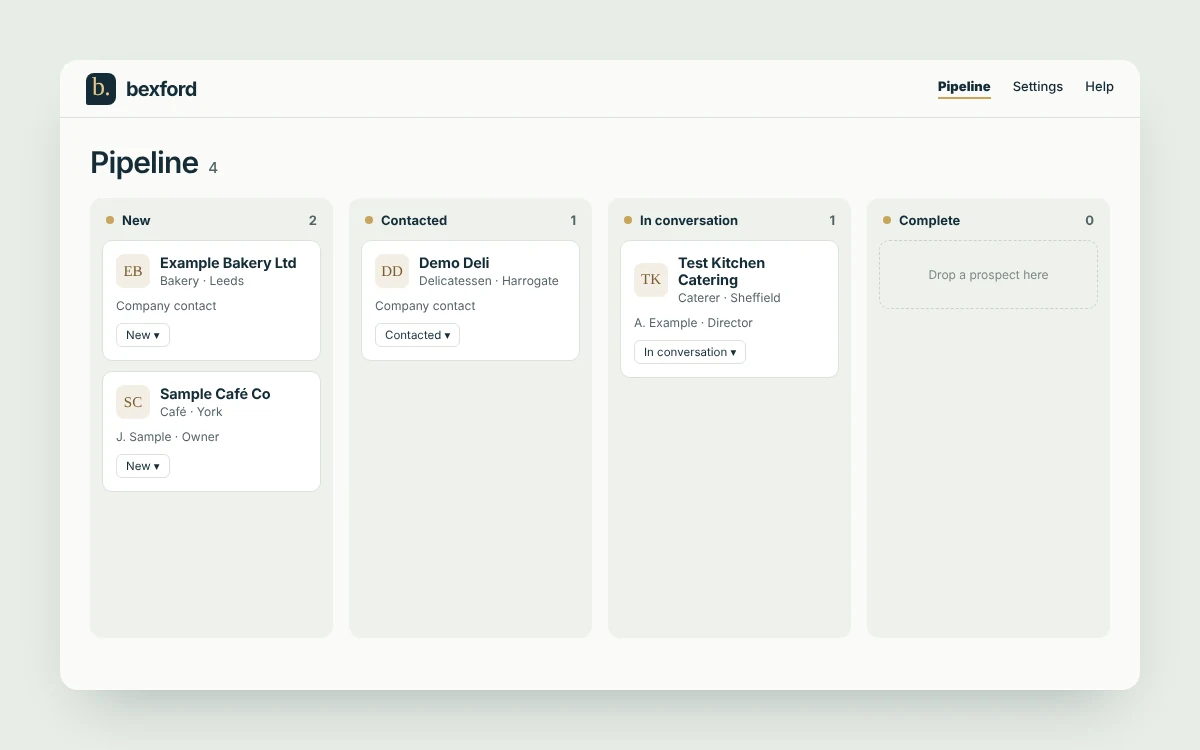
This is where every prospect lives. Each card is one business. The four columns show how far you’ve got with them: New, Contacted, In conversation and Complete.
Your first researched leads arrive in the New column. We email you when they’re ready.
The pipeline. Each card is one business.
2. Open a lead
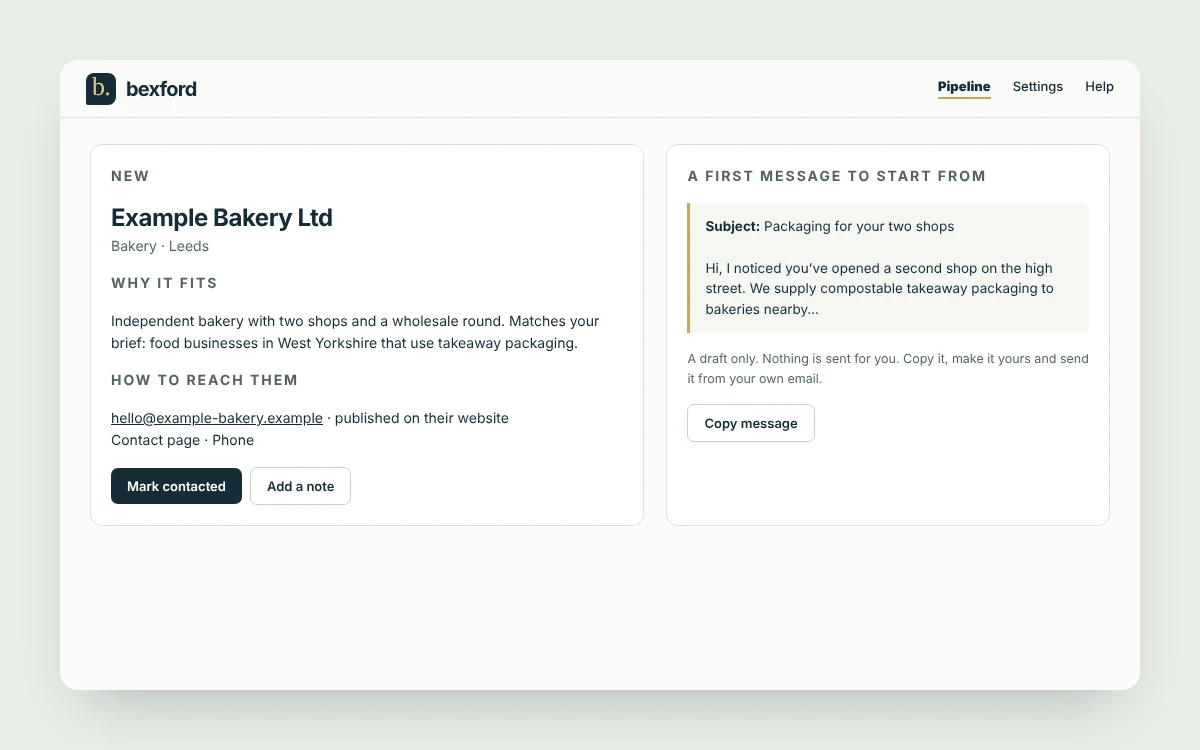
Click a business name to open it. You’ll see why it fits what you sell, how to reach them using details they’ve published, and a first message to start from.
The message is a draft only. bexford never contacts anyone for you. Copy it, put it in your own words and send it from your own email, or pick up the phone.
Inside a lead: the reason, the route in and a message to start from.
3. Get in touch, then move the card
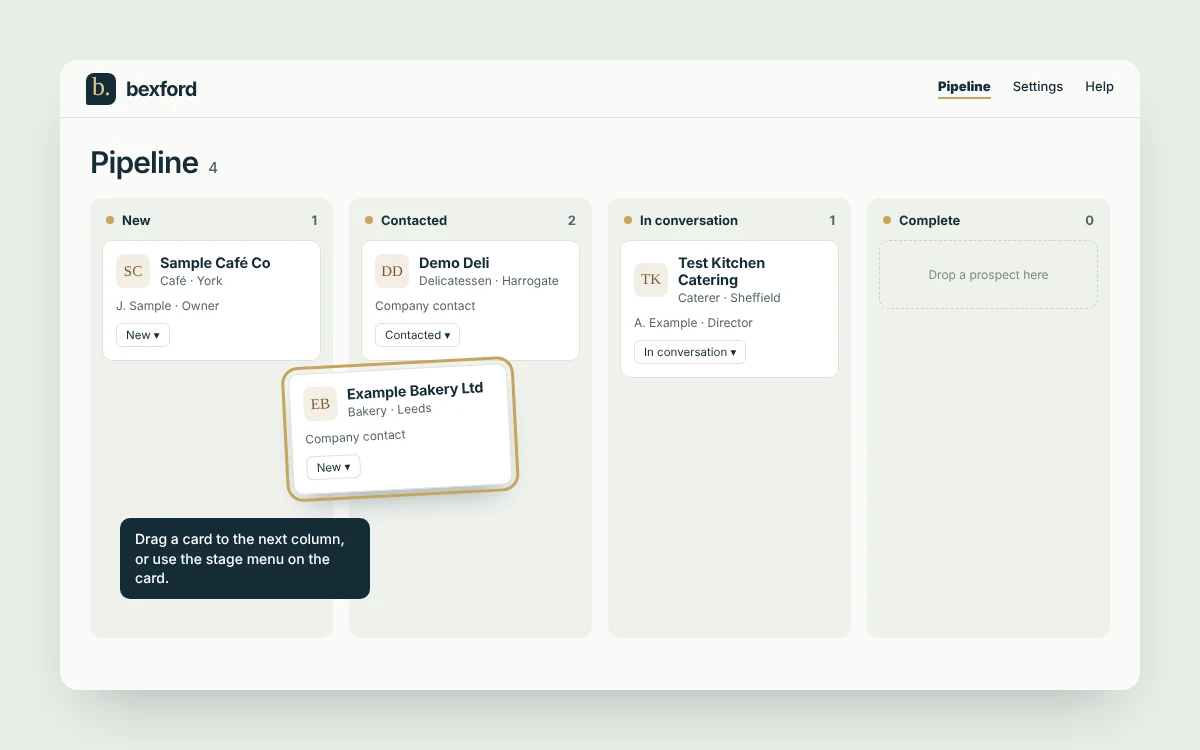
When you’ve made contact, drag the card to Contacted, or change the stage using the menu on the card. Move it again when they reply.
Add notes as you go so you remember what was said and what’s next.
Drag a card, or use the stage menu on it.
4. Get more leads
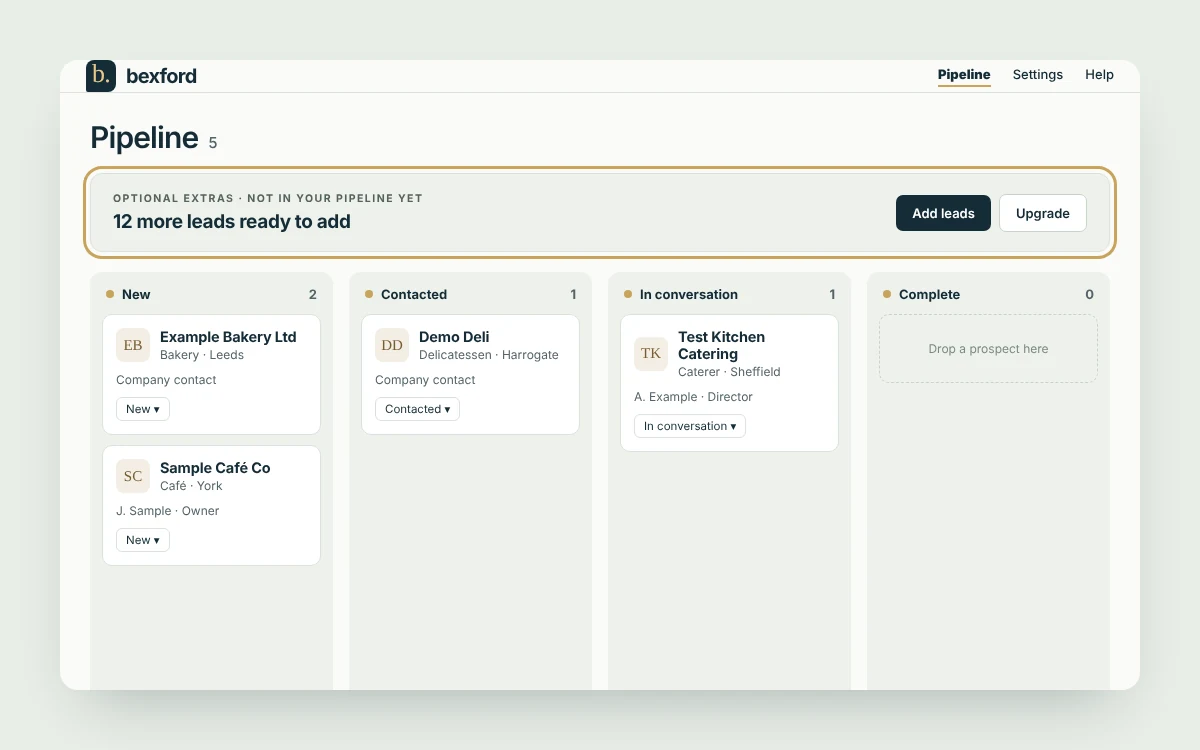
When more leads are available for your brief, a band appears above your pipeline. Choose Get more leads to buy a one-off pack, or Upgrade for the monthly Starter plan.
You can also add businesses you already know with + Add business, or bring in a list with Import CSV.
The band above your pipeline when more leads are ready.
Common questions.
When will my first leads arrive?
We start researching as soon as you finish your answers. Leads appear in the New column as they are found, and we email you when they’re ready.
Does bexford contact businesses for me?
No. bexford never contacts anyone for you. You choose who to approach and send every message yourself.
Where do the details come from?
From published business information: company records, the business’s own website and its published contact details.
How do I move a business to another stage?
Drag its card to another column, or use the stage menu on the card. On a phone, use the stage menu.
Can I add businesses I already know?
Yes. Use + Add business at the top of the pipeline, or Import CSV from the menu next to it to bring in a list.
A lead isn’t right for me. What should I do?
Use the thumbs-down on the card to mark it as not a good fit. You can also move it out of the way by changing its status.
How many leads do I get?
Your first five are free. After that you can buy one-off packs (5 for £5, 10 for £9, 25 for £20 or 50 for £40) or subscribe to Starter at £19 a month for up to 30 new leads per billing month.
Who am I allowed to email?
UK marketing rules treat businesses in two groups. A registered company (Ltd, LLP, PLC) can be sent a first sales email, as long as you say who you are and stop if they ask. A sole trader or ordinary partnership is treated like a member of the public: they should have agreed before you email them, so start with a phone call or a letter and ask if you can send details. Each lead shows a short note on the email step to tell you which it is. Before a sales call, check the number is not on the TPS register.
How do I keep my emails out of spam?
Send a few a day, each written for one business. Leave links and attachments out of the first email. Send from your business address with your name and phone number. After three tries with no reply, move on.
How do I cancel Starter?
Go to Settings, then Plan and billing. You can cancel renewal there at any time.
How do I stop the “more leads are ready” emails?
Go to Settings and untick “More leads are ready”. We send that email at most once a week.
Can I get my data out?
Yes. Use the export option in the menu at the top of the pipeline to download your records.